
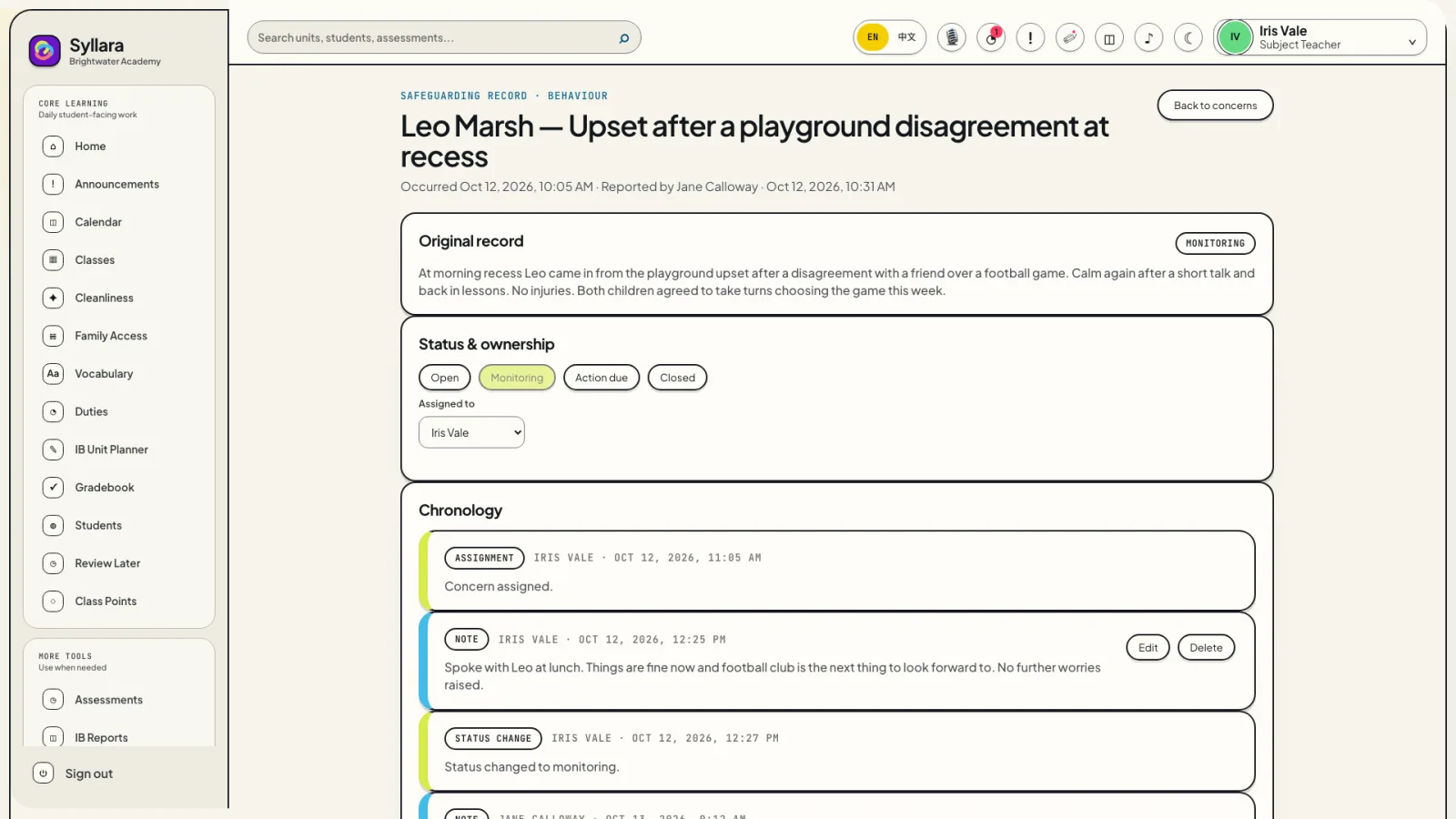
Pastoral leads
A pastoral log with a dated chronology
Log a concern in private, assign an owner, add follow-up notes. Concerns never appear on the classroom board.
For bilingual, international & IB schools · Grades 1–9
The register, class points, marks, homework load, duties and pastoral notes live in one place: on the classroom board, the teacher’s laptop and their phone. Built by a teacher. Used every school day.
Keeps your Google Sheets and your student information system. Start with one teacher team.
Counts from the school’s live records, 18 November 2026. Screens on this page show a demo school with fictional students.
Three tests on one Friday. Every mark typed twice. The register on paper and points in another app. Watch each one, then watch Syllara fix it.
60 seconds. Captions are built in.
The school day
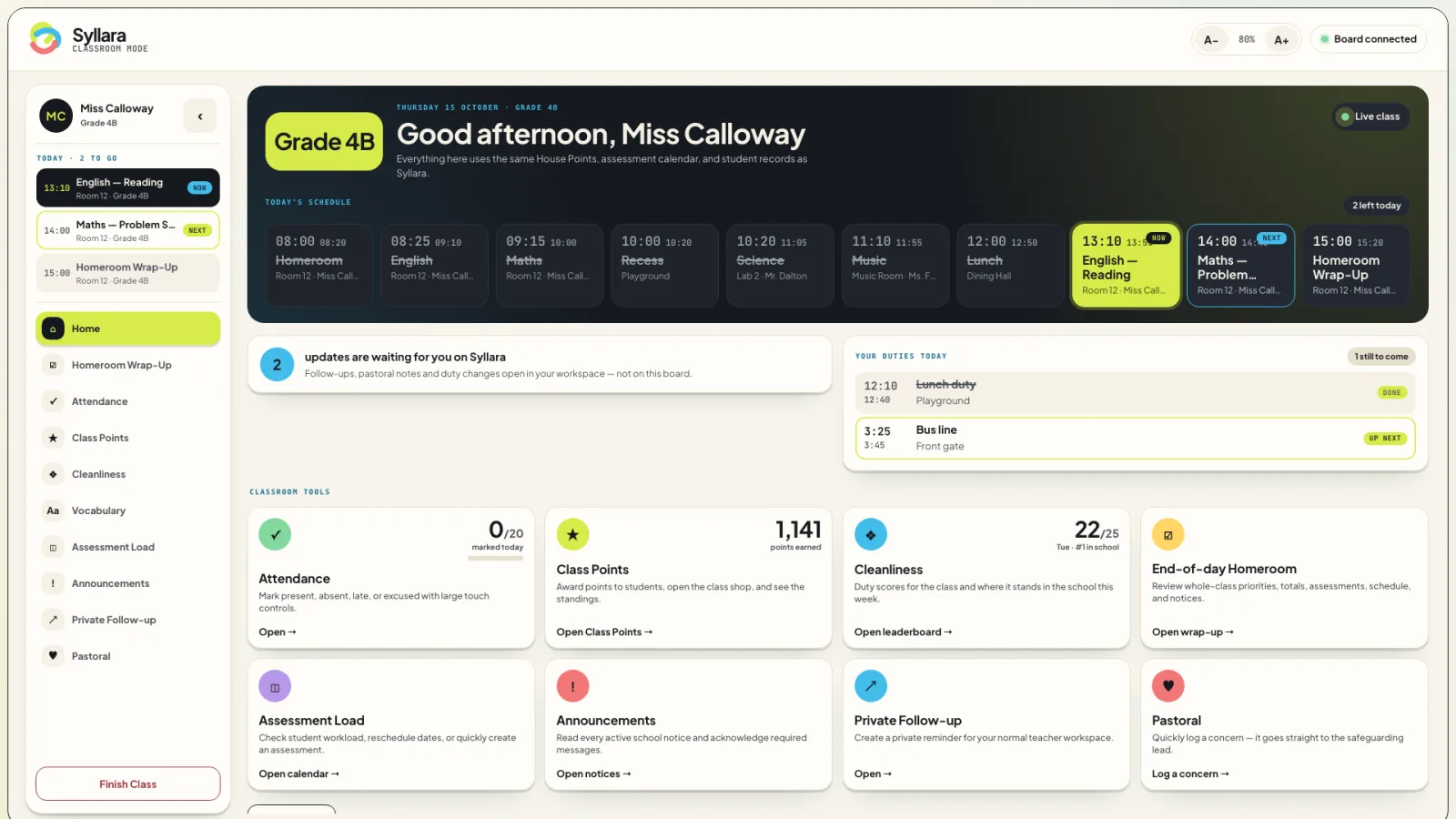
Syllara does not add a new job. It takes the ones already in the day and puts them on one screen, with the same students, classes and timetable behind each.
08:00Classroom board
Scan the board with your phone and your classes open. Tap each student once: present, late, absent or excused. One button marks everyone left as present.
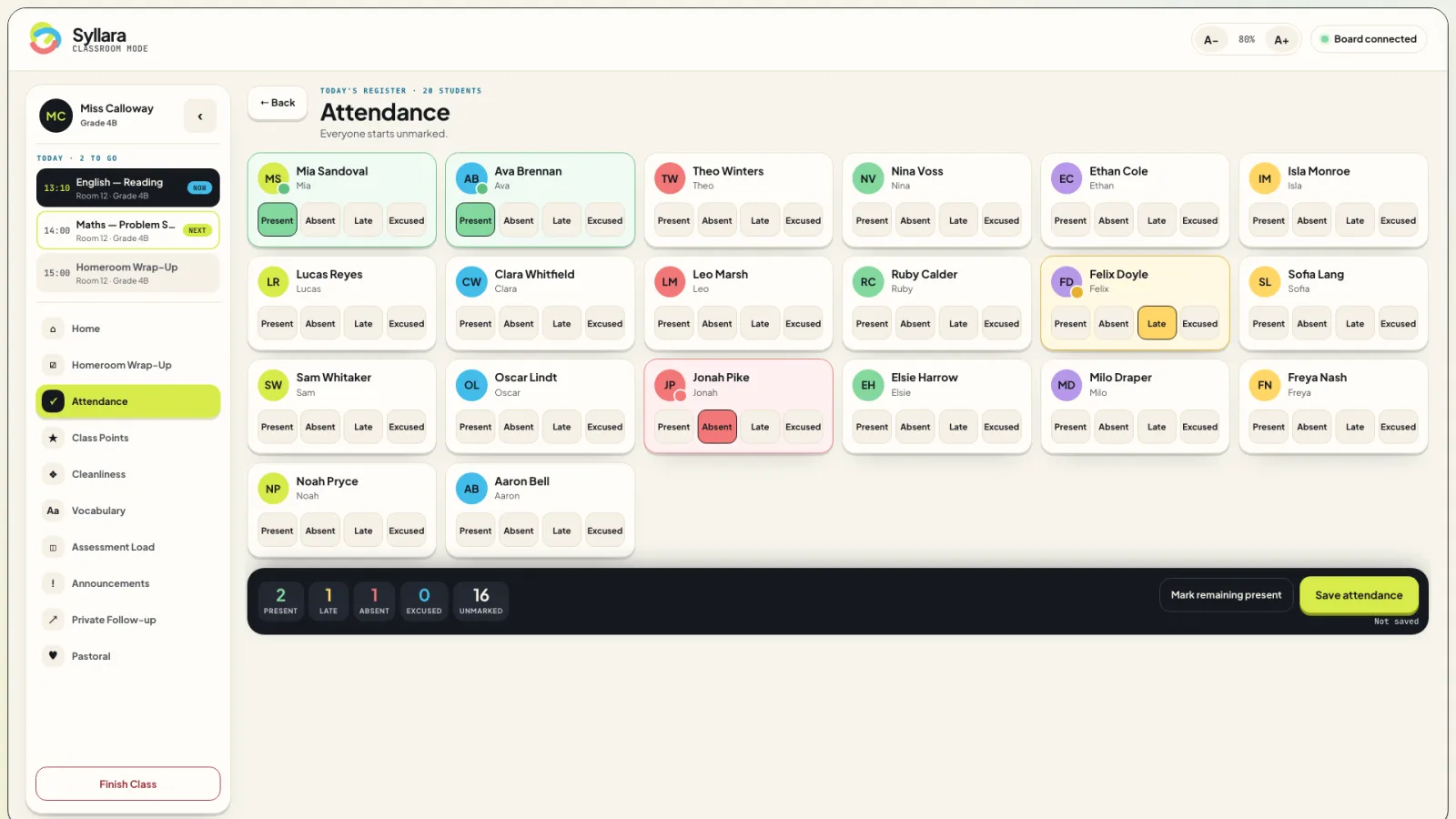
10:20Class Points
Tap the names, pick an amount, pick a reason. The class watches its total climb toward a goal the teacher sets, and the standings celebrate the most improved student, not only the top one.
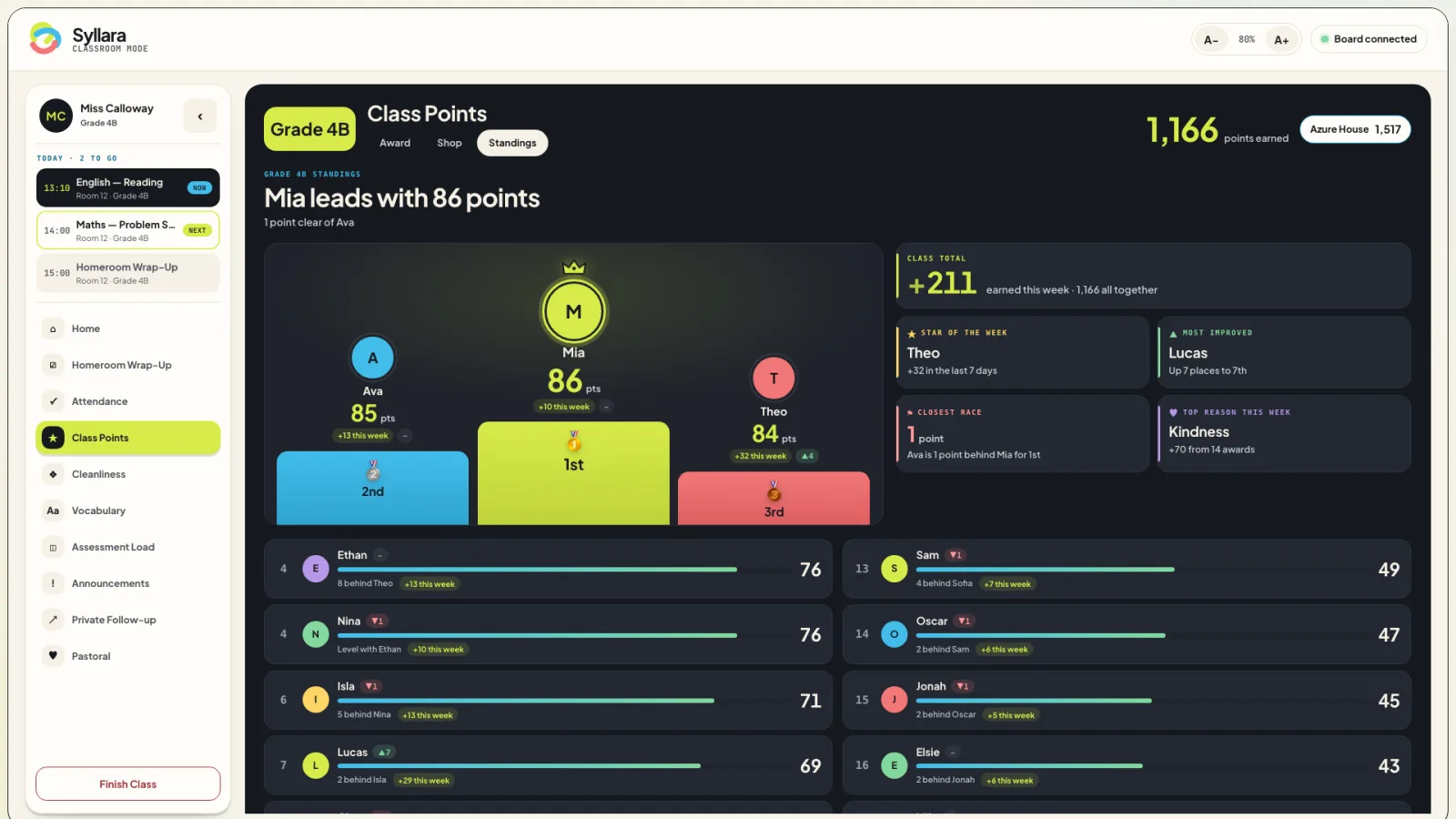
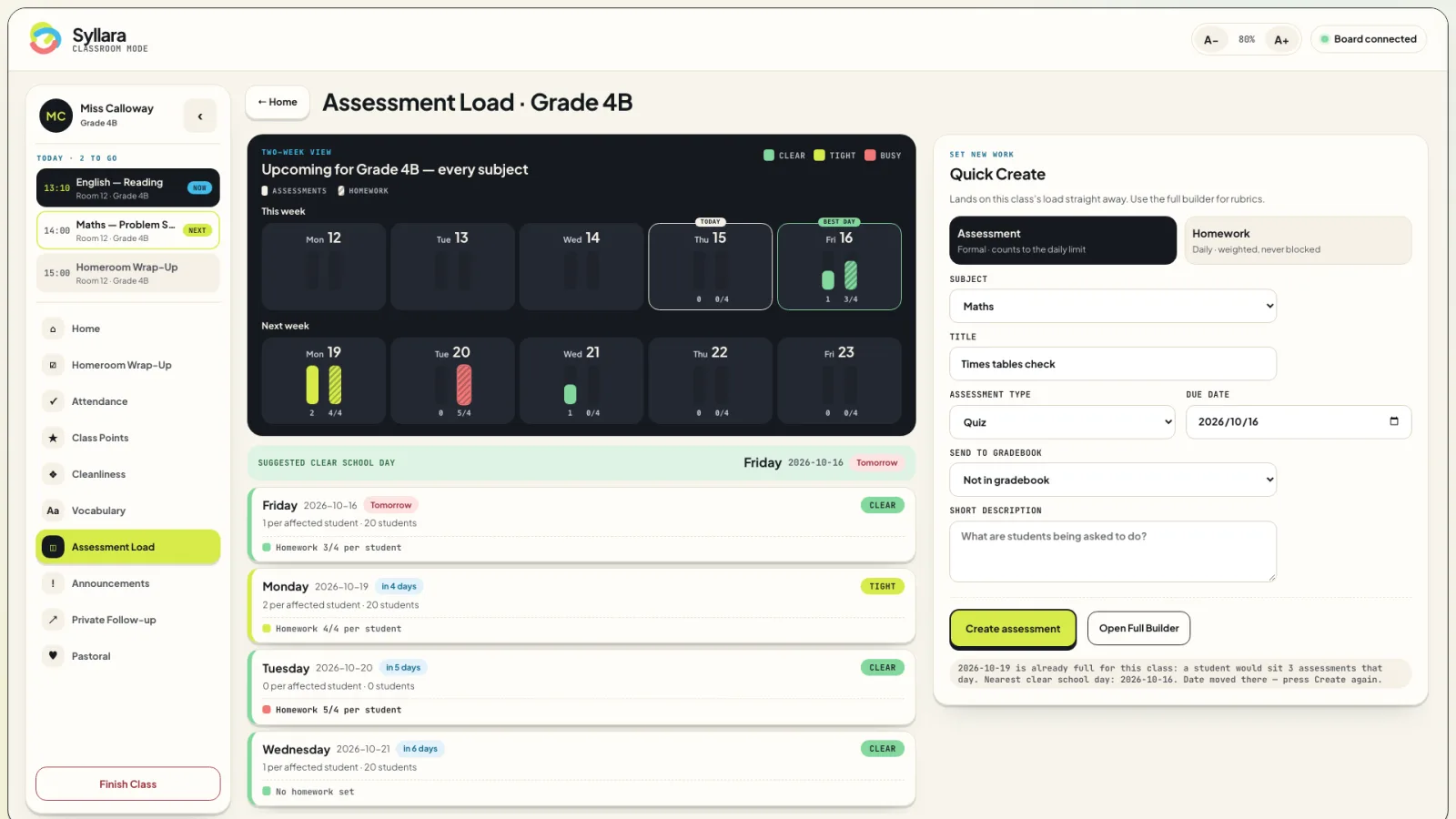
13:20Assessment load
Every subject shares one week. Pick a date for a quiz and Syllara shows what the same students already have that day, then suggests the nearest clear one. Homework is weighed as light, medium or heavy against a nightly budget.
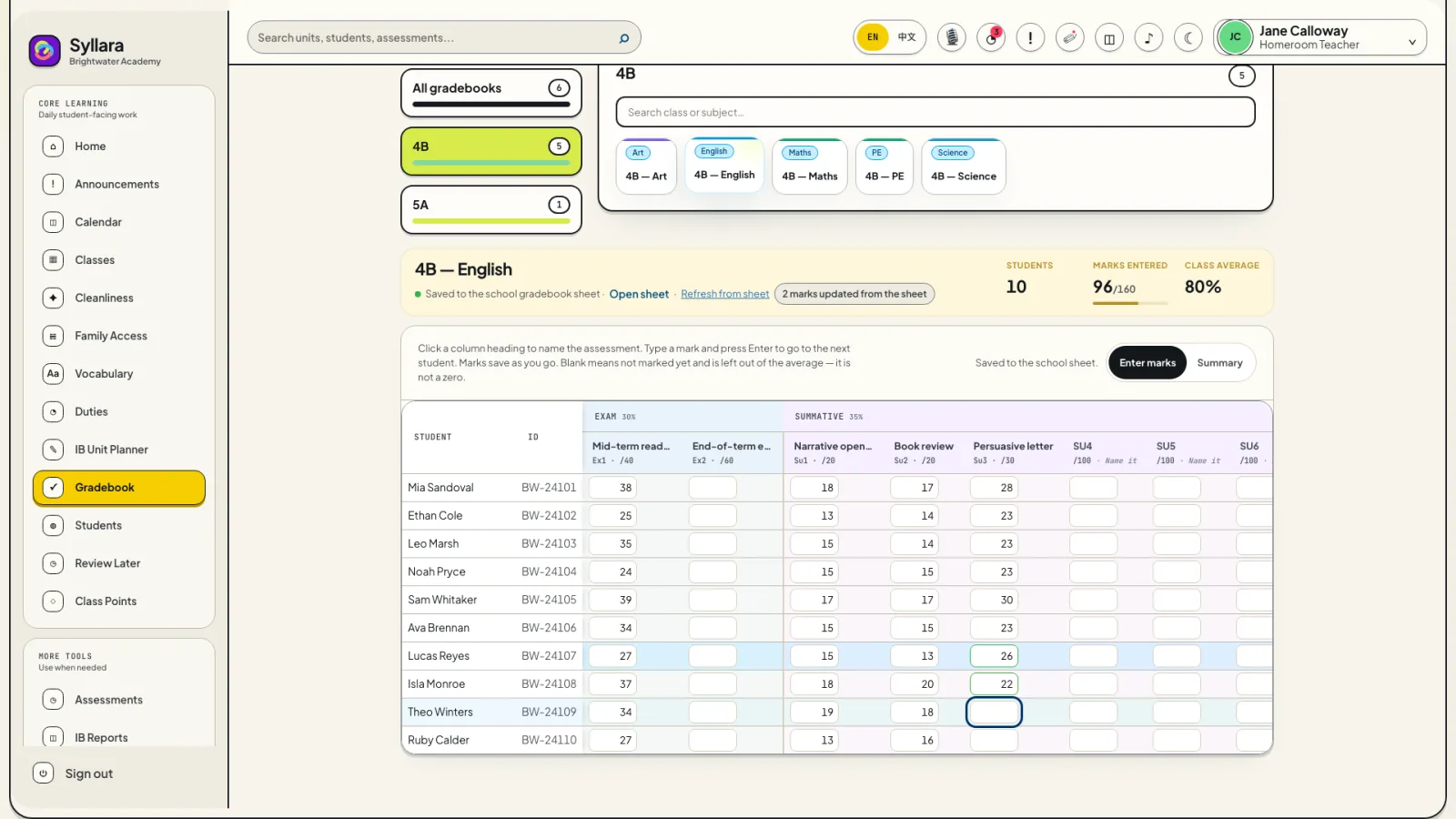
14:10Gradebook
Enter marks in a grid that moves like a spreadsheet. Weighted totals and grades update as you type, and each mark is saved to the Google Sheet your school already keeps as its record.
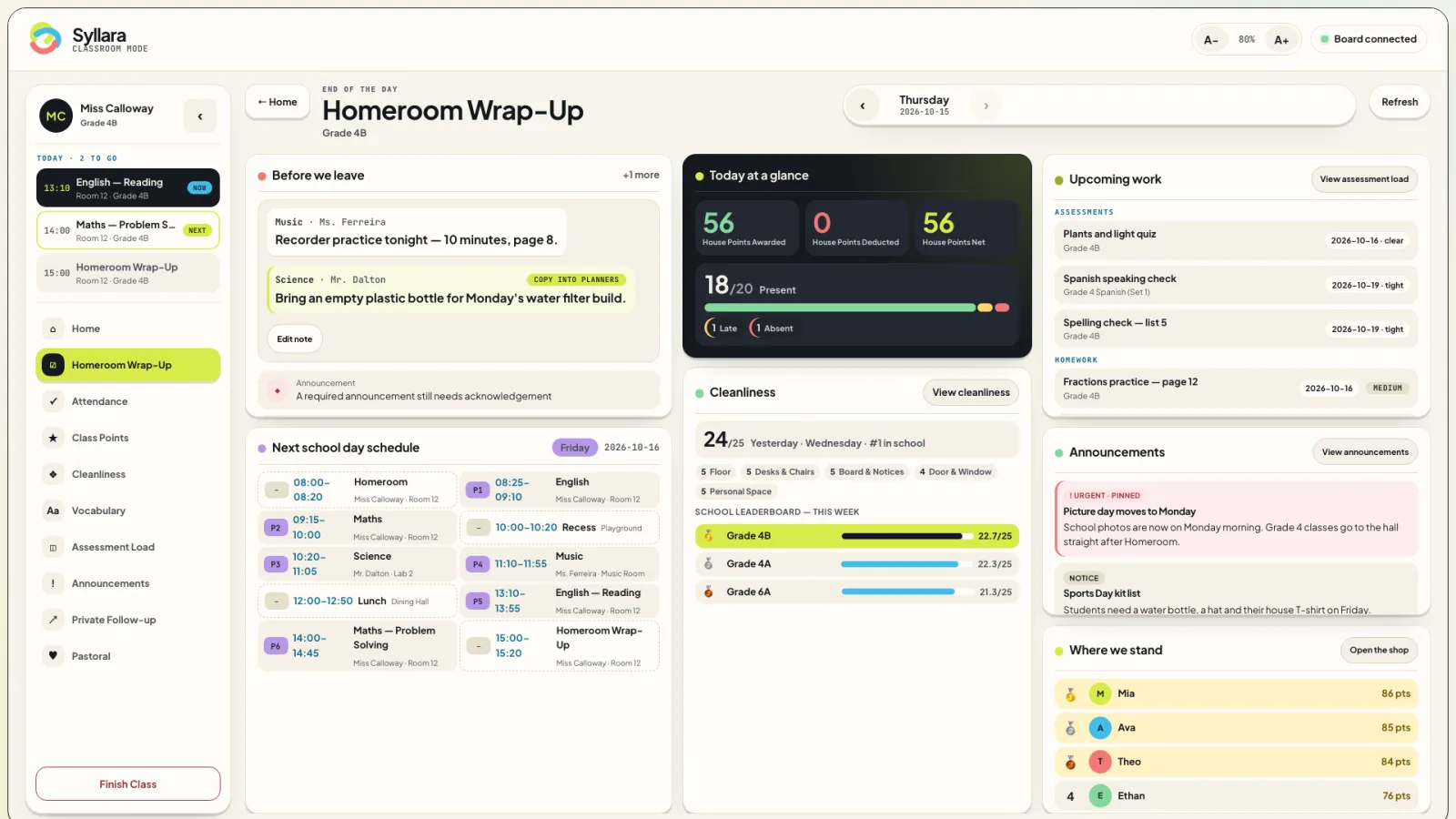
15:15Homeroom wrap-up
Tonight’s homework by subject, tomorrow’s timetable, attendance, the class’s tidy-room score and where the points stand. The homeroom teacher reads it with the class before they leave.
What’s inside
Switch on what your school needs. Leave the rest off.
Pastoral leads
Log a concern in private, assign an owner, add follow-up notes. Concerns never appear on the classroom board.
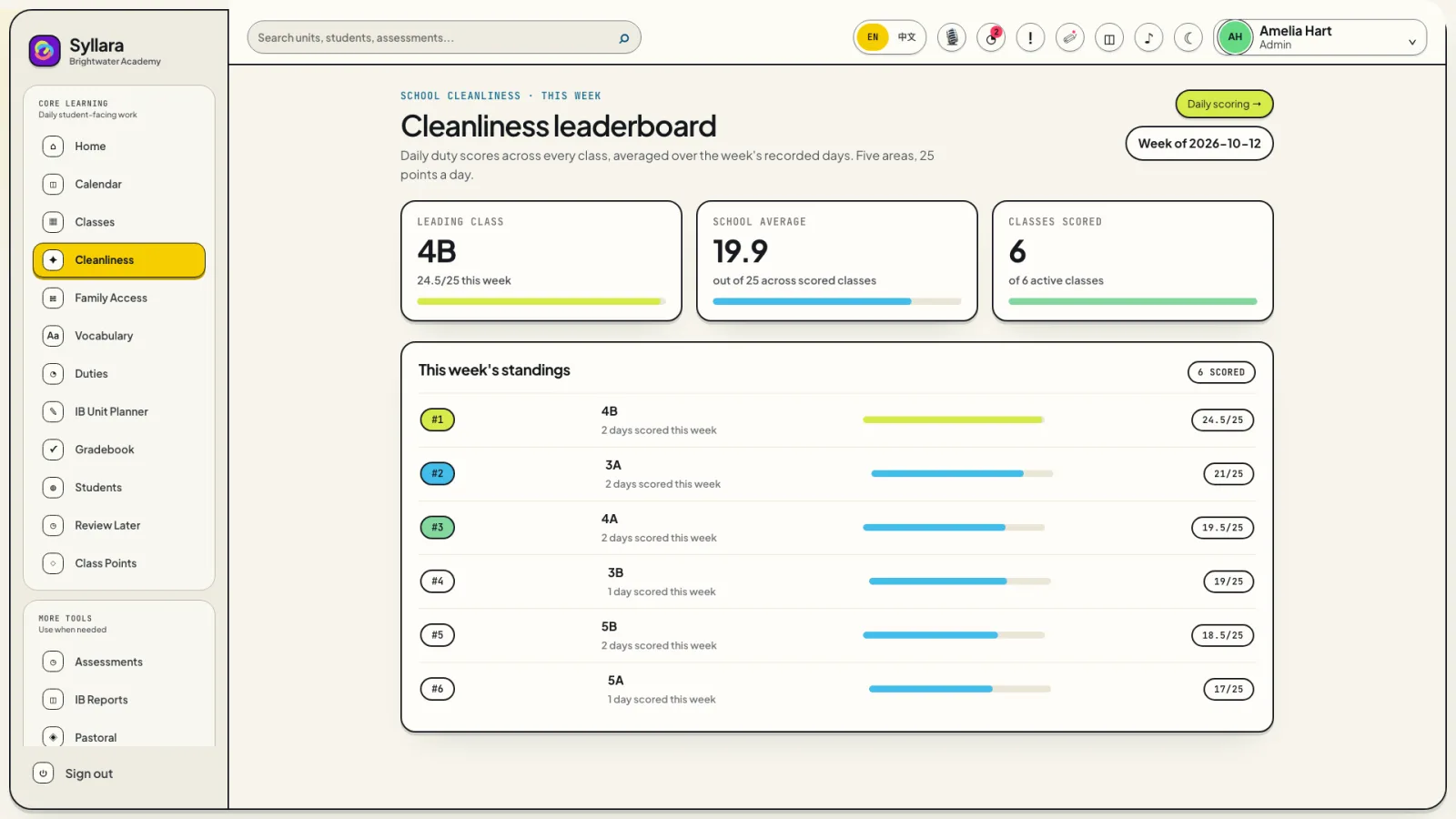
Whole school
Score each room on five areas every day. Classes see their own score and where they stand this week.
English department
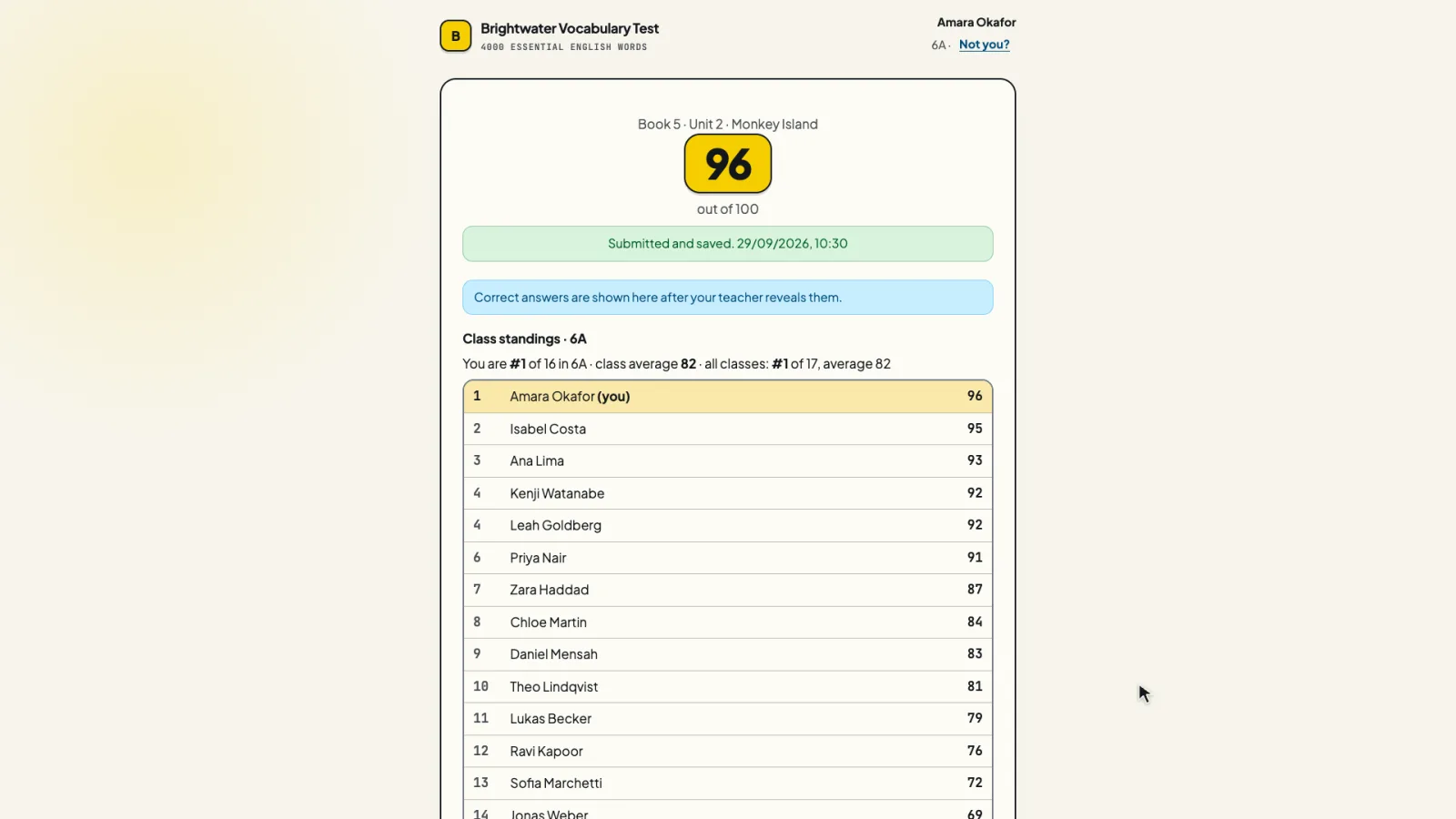
Students sit unit tests on a tablet. Teachers see ranked results, the words to reteach, and can allow a retest.
Every teacher
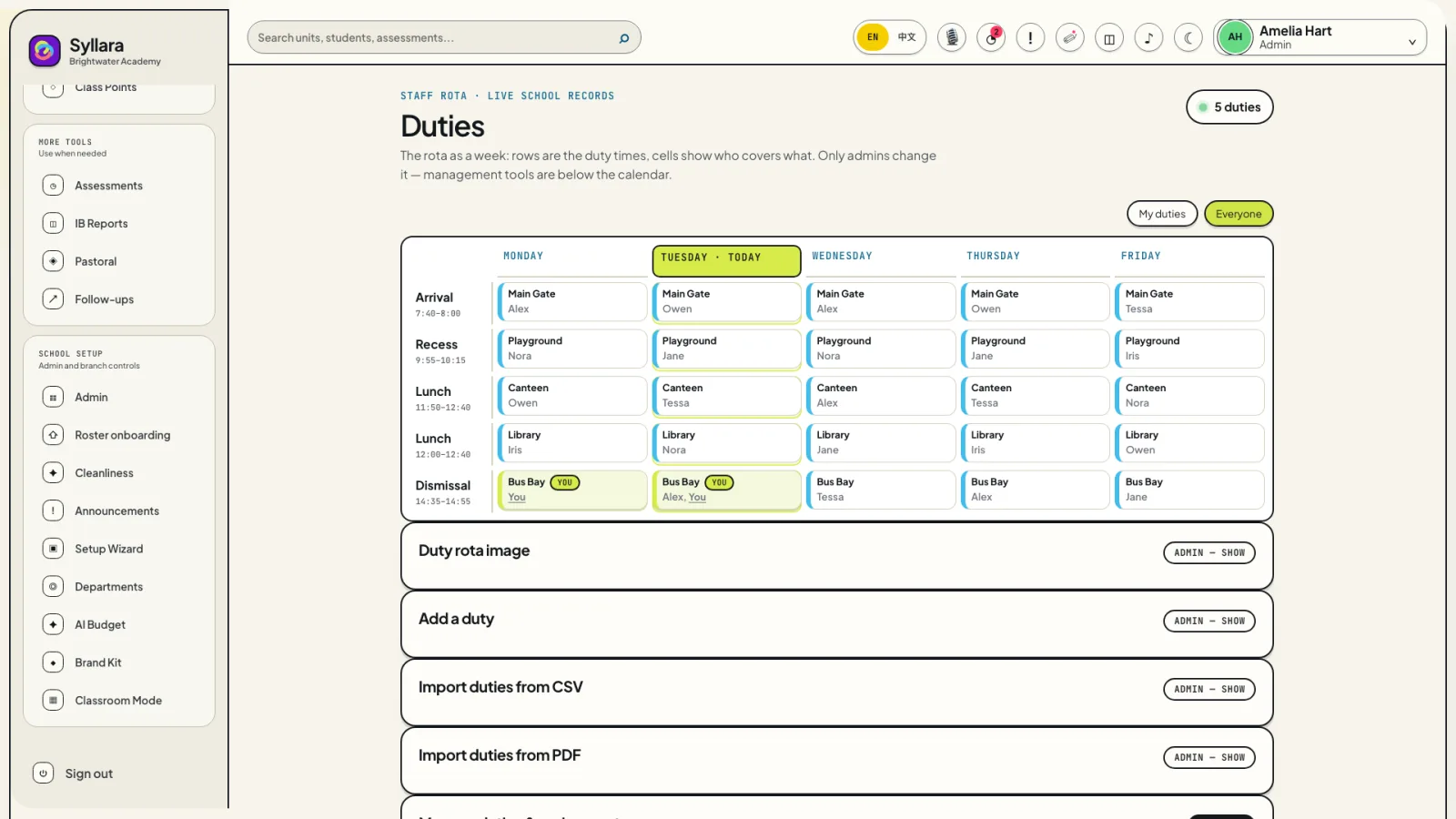
Each teacher sees their own duties and next class on the board and at their desk. The rota imports from a spreadsheet.
On the phone
Give points, tick off homework and write the “before we leave” note from your pocket. In testing with pilot teachers.
Bilingual schools
Staff switch the interface language in one tap. Built in a bilingual school in Taiwan.
Register, points, tidy-room score and the wrap-up, without opening four tools in front of the class.
Type a mark once. Set homework knowing what the class already has tonight.
Fewer three-test days, and recognition for effort and improvement that the whole class can see.
Attendance, assessment load and pastoral follow-ups in one place, with records you still own.
For school leaders
Syllara is built to sit beside what the school already trusts, and to keep the school in charge of who sees what.
Pick the part of the day that hurts most: the register, marks, test clashes or class points. We set it up with your class lists and timetable, your team uses it for a term, and you decide with real use in front of you.
Built and supported by a working teacher in Taiwan.
No. Syllara handles the teaching day: register, points, marks, homework load, duties and pastoral notes. It keeps its own attendance records and does not write to an SIS, so your SIS stays the system of record for enrolment and fees.
Google Workspace accounts for staff, and a spreadsheet of classes, students and timetables. Classroom Mode runs in the web browser on a classroom board or any large screen.
An administrator links each gradebook to a sheet your school owns. Marks typed in Syllara are saved to that sheet. Your IT lead approves the access once.
Yes. There are criteria gradebooks for MYP subjects and PYP units of inquiry alongside percentage gradebooks. Syllara works with IB planning; it is not an IB product.
It is optional. A school can run the whole day without it. Where it is switched on, AI prepares a draft, a teacher edits and approves it, and nothing saves until they do.
Yes. Staff can switch between English and Traditional Chinese.
Tell us, and we’ll show you that part working with a demo class.
Request pilot details